
For most DTC and ecommerce brands, the right choice is an AI-powered 3D product viewer that converts your existing product photos into interactive 3D models, embeds without developer help, supports AR on mobile, and feeds engagement data directly into your analytics stack. That combination, conversion lift plus lower returns plus faster rollout, is what separates a viewer that pays for itself from one that collects dust in a Jira backlog.
Start here:
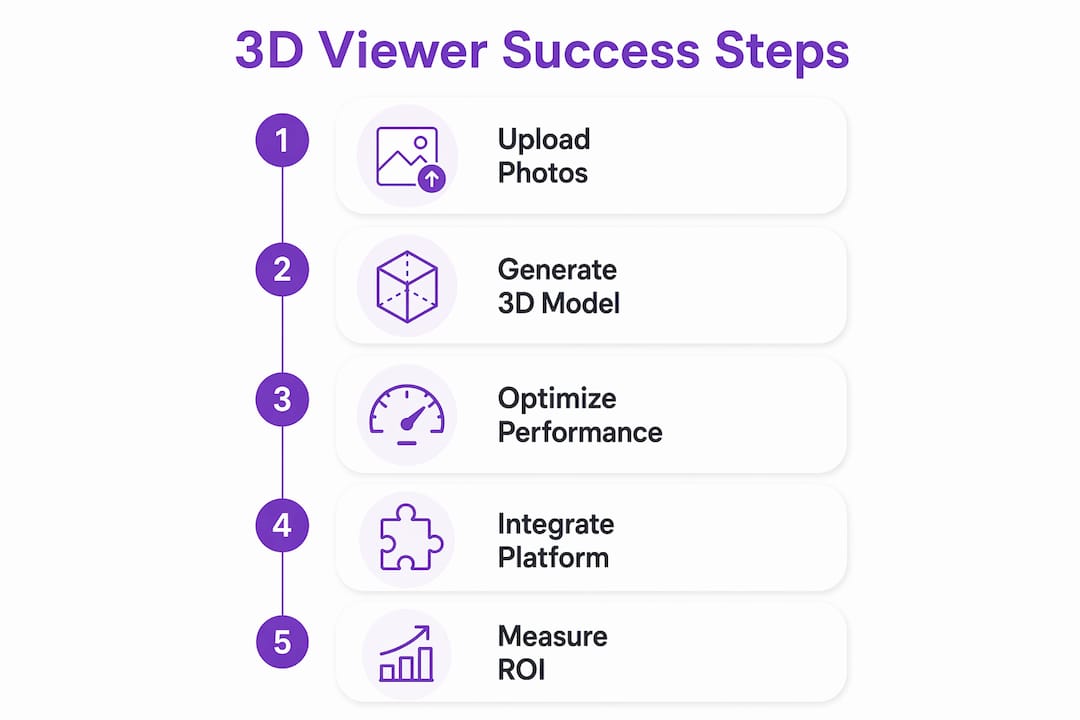
Upload several high-value SKUs and generate models with Hangrsolutions's AI 2D→3D workflow
Confirm your ecommerce platform is supported (Shopify, WooCommerce, Magento, Wix, or BigCommerce)
Instrument add-to-cart rate and return rate before launch so you have a clean baseline
Run an A/B test of several weeks: 3D viewer on vs. static images only
Start a free trial with Hangrsolutions to see a live model on your product page in under a day
The sections below explain exactly what to look for, what to avoid, and how to measure the outcome.
Table of Contents
What does a 3D product viewer actually deliver for your store?
Which ecommerce platforms and integrations should your viewer support?
What does a 3D viewer typically cost, and how long does it take?
How Hangrsolutions creates, optimizes, and delivers 3D viewers
Hangrsolutions turns your product photos into live 3D viewers
What does a 3D product viewer actually deliver for your store?
A 3D product viewer is not a cosmetic upgrade. It is a conversion tool. Shoppers who interact with a 3D or AR version of a product spend more time on page) and add to cart at higher rates than shoppers who see only flat photography. The mechanism is straightforward: static photos are brochures; interactive 3D models are fitting rooms.
The imagination gap is where returns are born. When shoppers cannot fully visualize scale, texture, or configuration, they guess. They buy. Then they return. A 3D viewer closes that gap before the purchase decision, not after.
The categories where this matters most are high-consideration and configurable products: furniture, footwear, jewelry, electronics, bags, and appliances. These are SKUs where a shopper genuinely needs to understand dimensions, material finish, and how variants differ before committing. A furniture brand, for example, can let a shopper rotate a sofa, swap fabric colors, and place it in their room via AR, all without a single phone call to customer service.
Three concrete business outcomes drive the investment case:
Conversion rate lift: Shoppers who engage with interactive 3D models convert at measurably higher rates than those viewing static images, according to multiple ecommerce studies).
Reduced return rates: Clearer pre-purchase visualization means fewer "not what I expected" returns, which is one of the most direct paths to margin recovery in DTC.
Higher average order value: Configurators that surface premium variants and upsell options during the 3D interaction tend to increase AOV, because the shopper is already engaged and exploring.
What core features should you require in a 3D viewer?
Not every viewer is built for commerce. Many are built for design review or gaming pipelines. The features below are the ones that actually move ecommerce metrics.
Interaction basics:
360° spin, pinch-to-zoom, pan, and autorotate on both desktop and mobile
Touch-gesture support that feels native on iOS and Android
Fullscreen mode and clean background controls for product photography parity
Commerce-specific features:
Real-time variant swaps (color, material, size) without page reload
Hotspots with contextual overlays for feature callouts. Interactive hotspots are especially valuable for high-consideration purchases because they let shoppers discover feature-level details without leaving the viewer.
Add-to-cart triggers directly from the viewer
Configurator logic for products with multiple customizable attributes
AR support:
WebAR for Android (Chrome) and Apple Quick Look for iOS, so shoppers can place products in their space without downloading an app
Vision Pro readiness is a forward-looking signal worth asking about in vendor demos
Developer and non-developer options:
No-code embed via a web component or script tag for fast pilots. No-code editors that support hotspots and variant swaps let non-developers create configurators and guided product tours, which cuts developer time significantly.
API and SDK access for teams building headless storefronts or custom product page experiences
Documented web components so front-end developers can style and extend without forking vendor code
Security and hosting:
Vendor-hosted CDN delivery for speed, with the option to self-host for brands with strict data residency requirements
Asset access controls so unpublished or prototype models are not publicly discoverable
Pro Tip: Ask every vendor for their fallback behavior on unsupported browsers. A viewer that crashes on Safari 15 or older Android WebViews will hurt conversion more than no viewer at all.

Which ecommerce platforms and integrations should your viewer support?
The viewer lives on your product page. That means it needs to fit your stack without a custom integration project every time you add a SKU.
Out-of-the-box support for Shopify, WooCommerce, Magento, Wix, and BigCommerce is the baseline expectation in 2026. Any vendor that requires a custom middleware layer to connect to one of these five platforms is adding weeks and budget to your rollout.
Platform integration is not a nice-to-have feature — it is the difference between a 2-week pilot and a 3-month engineering project. Brands that choose viewers with native Shopify or WooCommerce plugins report dramatically faster time-to-live than those relying on custom API work.
Beyond the core platforms, the integration picture expands quickly:
Embedding patterns: Web components and JavaScript SDK embeds are the most portable. iFrame embeds work but limit event tracking and styling control. Headless commerce setups (Next.js, Hydrogen, Nuxt) need a viewer that exposes clean JavaScript events.
PIM and DAM workflows: If your team manages product data in a PIM like Akeneo or assets in a DAM, the viewer should accept model URLs from those systems rather than requiring a separate upload portal.
Analytics: The viewer must fire events (rotation start, zoom, hotspot click, variant swap, AR launch) that your analytics platform can capture. Google Analytics 4, Segment, and Mixpanel are the most common targets.
A/B testing: Compatibility with Optimizely, VWO, or Google Optimize variants lets you run clean experiments without hard-coding the viewer into every page variant.
High-quality 3D viewer projects commonly reuse assets across web, AR, and kiosk or VR experiences, so a viewer architecture that separates the model asset from the embed logic gives you the most flexibility as your channel mix grows.

How are 3D models produced, and which file formats matter?
Model creation is where most pilots stall. The production path you choose determines cost, timeline, and quality, so it is worth understanding the options before you commit to a vendor.
Production methods:
AI 2D→3D generation: Upload standard product photos and receive a web-ready 3D model. No scanning equipment, no CAD files, no 3D artist required. This is the fastest path for brands with existing photography libraries.
Photogrammetry: Capture 50–200 photos of a physical product from all angles, then process them into a mesh. High fidelity, but requires a controlled shoot setup and processing time.
CAD conversion: Import engineering files (STEP or IGES) and convert them to real-time assets. When using CAD data, plan a polygon decimation pass to convert engineering meshes into real-time assets, including UV rework and texture baking before glTF export.
File format reference:
Format | Best for | Web delivery | Notes |
|---|---|---|---|
glTF/GLB | Web, AR, ecommerce | Yes (preferred) | Single binary, PBR textures, animations |
FBX | Game engines, animation | No (convert first) | Common in design pipelines |
OBJ | Geometry review | No (convert first) | No material/animation support |
STL | 3D printing | No | Geometry only, no textures |
STEP/IGES | CAD/engineering | No (convert first) | Requires decimation and baking |
glTF/GLB is the format to prioritize for web delivery. It packages geometry, textures, materials, and animations into a single compact binary. Many online viewers include converter tools to move between formats like FBX to glTF, which is useful for teams migrating legacy assets. For local file inspection before publishing, browser-based tools like Open3D open glTF, FBX, STL, OBJ, and STEP files client-side without uploading to a server, which is practical for reviewing prototype models before they go live.
The best practice for final web assets is to export glTF/GLB with baked PBR textures, generate level-of-detail (LOD) variants, and apply meshopt compression. Serve textures as WebP where supported, with PNG or JPEG fallback for legacy browsers.
How do you keep a 3D viewer fast on product pages?
A viewer that takes four seconds to load on mobile is worse than a static image. Performance is not an optimization task you do after launch. It is a design constraint you set before you choose a vendor.
Key optimization levers:
Technique | What it does | Impact |
|---|---|---|
Mesh decimation | Reduces polygon count | Smaller file, faster parse |
Meshopt compression | Binary mesh compression | Up to 10× smaller transfer size |
WebP textures | Compressed texture format | smaller than JPEG at same quality |
LODs | Multiple detail levels by distance | Faster initial render |
Lazy loading | Loads viewer only on scroll/interaction | Faster page TTI |
CDN edge hosting | Serves assets from nearest node | Lower latency globally |
The runtime rendering choice matters too. WebGPU offers better GPU utilization and visual quality than WebGL2, with WebGL2 as the fallback for older devices. A viewer built on WebGPU with WebGL2 fallback will future-proof visual quality while maintaining broad device reach. One concrete example: Trice's browser-based viewer uses WebGPU with WebGL2 fallback, meshopt compression, and WebP texture transcoding, and drops to zero GPU usage when the viewer is idle, which protects battery life on mobile.
Lazy loading the viewer until the shopper scrolls to the product media section is one of the highest-leverage moves for Time to Interactive (TTI). Pair it with a CDN that serves assets from edge nodes close to your shoppers, and you eliminate most of the latency that makes 3D feel slow.
Pro Tip: Set a hard budget of 5 MB for the initial model load on mobile. If a vendor's default export exceeds that, ask specifically about their meshopt and LOD pipeline before signing.
What does a 3D viewer typically cost, and how long does it take?
Pricing and timeline vary more than most vendors advertise, because both depend heavily on the number of SKUs, variant complexity, and whether you need AR.
Common pricing models:
Subscription tiers: Monthly or annual plans based on the number of active 3D models and viewer page loads. Entry-level plans typically cover a handful of SKUs; mid-tier plans scale to hundreds.
Per-model credits: Pay per model generated, useful for brands with irregular production schedules or one-off launches.
Usage overages: Most subscription plans charge per-model or per-load fees above the plan limit.
Enterprise plans: Custom pricing for high-SKU catalogs, dedicated support, SLA guarantees, and on-premise or private-cloud hosting.
Implementation timeline:
Typical project timelines run 2–4 weeks for a simple viewer and 4–8 weeks for a full configurator with variant logic and AR. What drives that range:
Number of SKUs in the pilot
Whether models are generated from photos (fast) or require CAD conversion (slower)
Complexity of variant logic (color swap vs. full geometry change)
Custom integration work beyond a standard platform plugin
For most brands, the practical answer is to pilot 1–3 SKUs on high-value or configurable items, measure engagement and conversion uplift, then scale to categories. That approach keeps the initial investment small and gives you real data before a full catalog rollout.
How do you measure ROI from a 3D product viewer?
The measurement plan is as important as the viewer itself. Without a clean baseline and instrumented events, you cannot attribute conversion changes to the 3D experience with any confidence.
Primary KPIs to track:
Add-to-cart rate (the most direct conversion signal)
Overall conversion rate on pages with the viewer active
Return rate for SKUs with 3D vs. without
Average order value on sessions that include a viewer interaction
Time on product page
Viewer-level engagement events:
Instrument both page-level analytics and viewer events so you can attribute behavioral uplifts to the 3D experience specifically. The events worth capturing: rotation start, zoom in/out, hotspot click, variant swap, AR launch, and viewer close. Send these to GA4, Segment, or Mixpanel using a consistent naming convention (e.g., viewer_interaction, viewer_ar_launch).
The brands that prove 3D ROI fastest are the ones that instrument the viewer on day one, not after the pilot ends. Retroactive analytics cannot tell you whether the shopper who converted also rotated the model or clicked a hotspot.
A/B test structure:
Hypothesis: product pages with the 3D viewer will show a higher add-to-cart rate than pages with static images only.
Test variants: control (static images) vs. treatment (3D viewer enabled).
Duration: run for at least 2–4 weeks or until you reach statistical significance at your traffic volume.
Minimum sample size: calculate based on your current conversion rate and the minimum detectable effect you care about (typically a 10–15% relative lift).
For a deeper look at configurator event data and what most stores miss in their analytics setup, Hangrsolutions has published a dedicated guide worth reading before you finalize your event schema.
How Hangrsolutions creates, optimizes, and delivers 3D viewers
Hangrsolutions is built specifically for ecommerce brands that need to go from product photos to a live, interactive 3D viewer without a 3D artist, a CAD file, or a custom integration project.
How the workflow runs:
Upload standard product photography (the same images already on your product page)
Hangrsolutions's AI generates a web-optimized 3D model in glTF/GLB format with baked PBR textures, LODs, and meshopt compression applied automatically
The embedded viewer goes live on your product page via a no-code plugin for Shopify, WooCommerce, Magento, Wix, or BigCommerce, or via a web component for headless setups
Variants, hotspots, and AR-ready models are supported across categories including furniture, bags, toys, footwear, jewelry, electronics, and appliances
Real-time analytics track rotation, zoom, hotspot clicks, variant swaps, and AR launches so you can measure engagement from day one
Why this matters for your timeline:
The AI 2D→3D generation step removes the single largest bottleneck in most 3D rollouts: model production. Brands that previously needed 2–4 weeks per SKU for photogrammetry or CAD conversion can now generate and publish models in a fraction of that time. That speed difference is what makes a 50-SKU pilot realistic instead of a 6-month project.
Hangrsolutions hosts models on a CDN with edge delivery, so load performance scales with your traffic without infrastructure work on your end. For brands with data residency requirements, the platform supports alternative hosting configurations.
The Hangrsolutions platform supports a free trial so you can generate a model from your own product photos and see it live on your store before committing to a paid plan.
Key Takeaways
A 3D product viewer pays off when it is chosen for conversion impact, implemented with a clean pilot, and measured with instrumented viewer events from day one.
Point | Details |
|---|---|
Start with a pilot | Test 1–3 high-value or configurable SKUs before scaling to the full catalog. |
Prioritize glTF/GLB | Web-optimized glTF with meshopt compression and LODs is the baseline for fast, mobile-friendly delivery. |
Instrument on day one | Capture viewer events (rotation, hotspot clicks, variant swaps, AR launch) alongside page-level KPIs from launch. |
Require platform plugins | Native plugins for Shopify, WooCommerce, Magento, Wix, and BigCommerce cut rollout time from months to weeks. |
Use Hangrsolutions | AI 2D→3D generation removes the model production bottleneck and delivers no-code embeds with built-in analytics. |
The part most brands get wrong about 3D viewers
The conventional wisdom says the hard part of adding a 3D product viewer is the technology. Pick a viewer, embed it, done. The actual hard part is the model production pipeline and the measurement setup, and most brands underinvest in both.
On the production side, teams consistently underestimate how long it takes to get clean, web-ready models at scale. A single photogrammetry session for one SKU can take days when you factor in the shoot, processing, decimation, and QA. Multiply that by 50 SKUs and you have a quarter-long project before a single shopper sees a model. The brands that move fastest are the ones that use AI-based 2D→3D generation to collapse that timeline, then reserve photogrammetry or CAD conversion for the handful of hero SKUs where maximum fidelity genuinely matters.
On the measurement side, the mistake is launching the viewer and then checking conversion rate two weeks later. That tells you almost nothing. What you need is viewer-level event data: which shoppers rotated the model, which ones clicked a hotspot, which ones launched AR, and whether those behaviors correlate with conversion. Without that granularity, you cannot optimize the viewer experience, and you cannot make a credible case to stakeholders for expanding the program.
The other pitfall worth naming: overloading the product page. A 3D viewer, a video, a 360° spin gallery, and a size guide widget all competing for the same above-the-fold real estate will hurt performance and confuse shoppers. Pick the format that fits the product and the shopper's decision-making process. For most high-consideration SKUs, the 3D viewer with AR is the right anchor. Everything else is secondary.
Hangr turns your product photos into live 3D viewers
Your product photography is already doing most of the work. Hangr takes those same images and generates web-optimized, interactive 3D models that embed directly into your Shopify, WooCommerce, Magento, Wix, or BigCommerce store, no 3D artist, no CAD file, no developer sprint required.
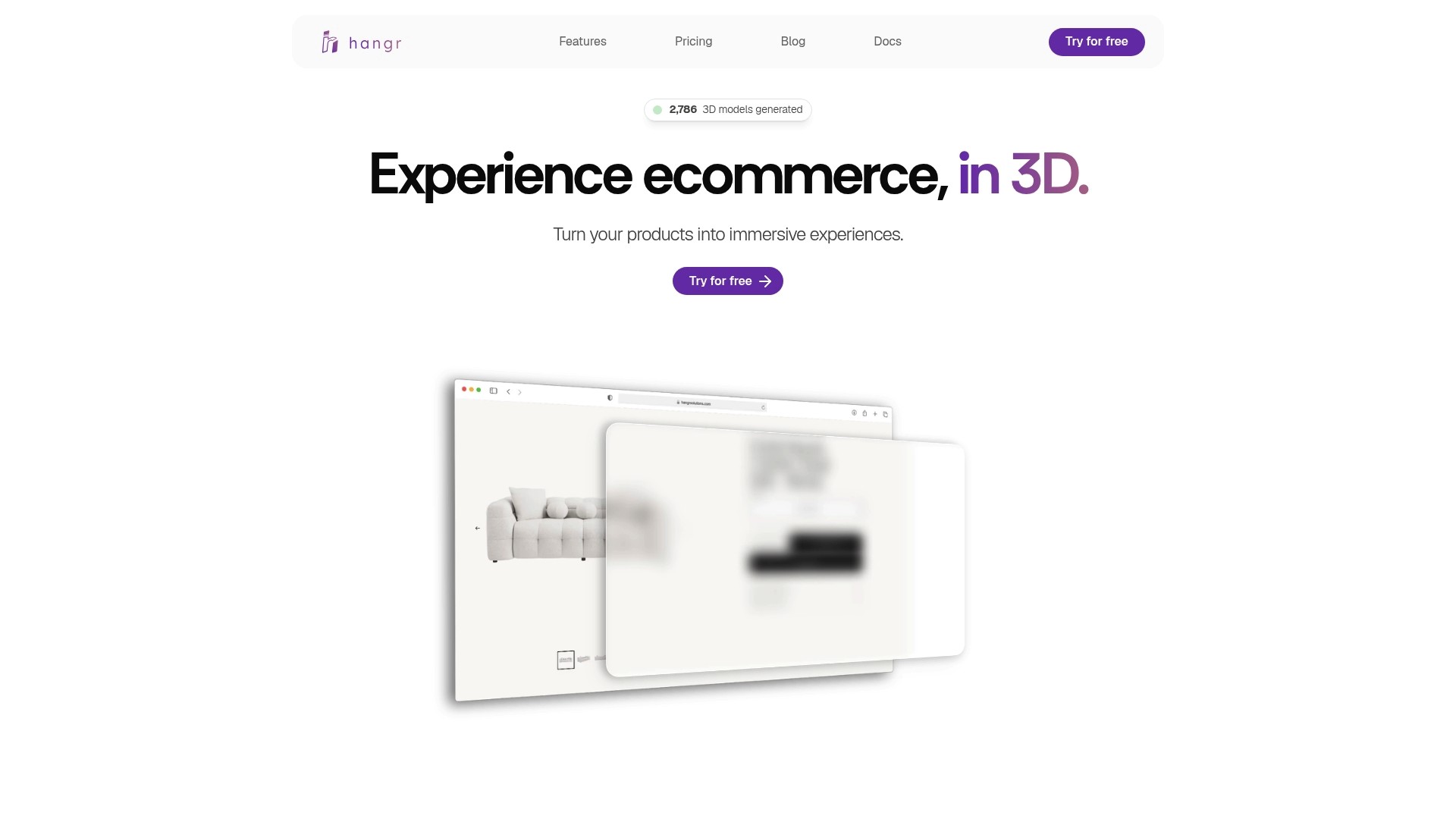
The first step takes minutes: upload photos of a product, generate a model, and preview it live in the embedded viewer. From there, you can add variants, place hotspots, enable AR for mobile shoppers, and track every interaction through the built-in analytics dashboard. Brands across furniture, footwear, jewelry, electronics, and apparel are already using Hangr to close the imagination gap and reduce returns before they happen.
Start your free trial at Hangr and have a live 3D model on your product page today.
Useful sources and further reading
The resources below were used to build this guide and are worth bookmarking for your own vendor evaluations and technical scoping.
Hangr: The primary reference for AI 2D→3D generation, no-code viewer embeds, and ecommerce analytics. Start here for platform-specific integration docs and a live demo.
3D Product Visualization for Ecommerce: The Complete Guide (2026)): A deep technical primer on production workflows, file formats, and use cases. Useful for teams preparing a full catalog rollout.
Trice 3D Web Viewer: A WebGPU-powered browser viewer with meshopt compression and WebP texture transcoding. Useful for understanding browser-side optimization and testing model performance before publishing.
SeekBeak Interactive 3D Models: A no-code editor supporting hotspots, camera paths, and variant swaps. Useful for understanding what non-developer configurator tooling looks like in practice.
Open3D Browser Viewer: Opens glTF, FBX, STL, OBJ, and STEP files locally in the browser without uploading. Practical for reviewing prototype models before they go live.
Online 3D Viewer (3dviewer.net): Supports broad format coverage and includes converter tools for moving between FBX, glTF, OBJ, and other formats. Useful during asset migration.
threesixty.at Interactive 3D Product Viewer: A reference for configurator complexity, project timelines, and multi-channel asset reuse. Useful when scoping a full configurator build.
Spark Concept AI Digital Product Builder: A partner resource for teams planning the go-to-market strategy and pilot scope around a 3D viewer rollout.
The 3D Product Configurator Data Most Ecommerce Stores Are Ignoring: A Hangrsolutions guide on viewer event instrumentation and the analytics gaps most stores leave open.
Use these sources when planning your pilot, scoping technical requirements, or making the internal business case for 3D product visualization.
Recommended
No credit card. No engineering. 10 minutes from sign to live.
Start free, no credit card