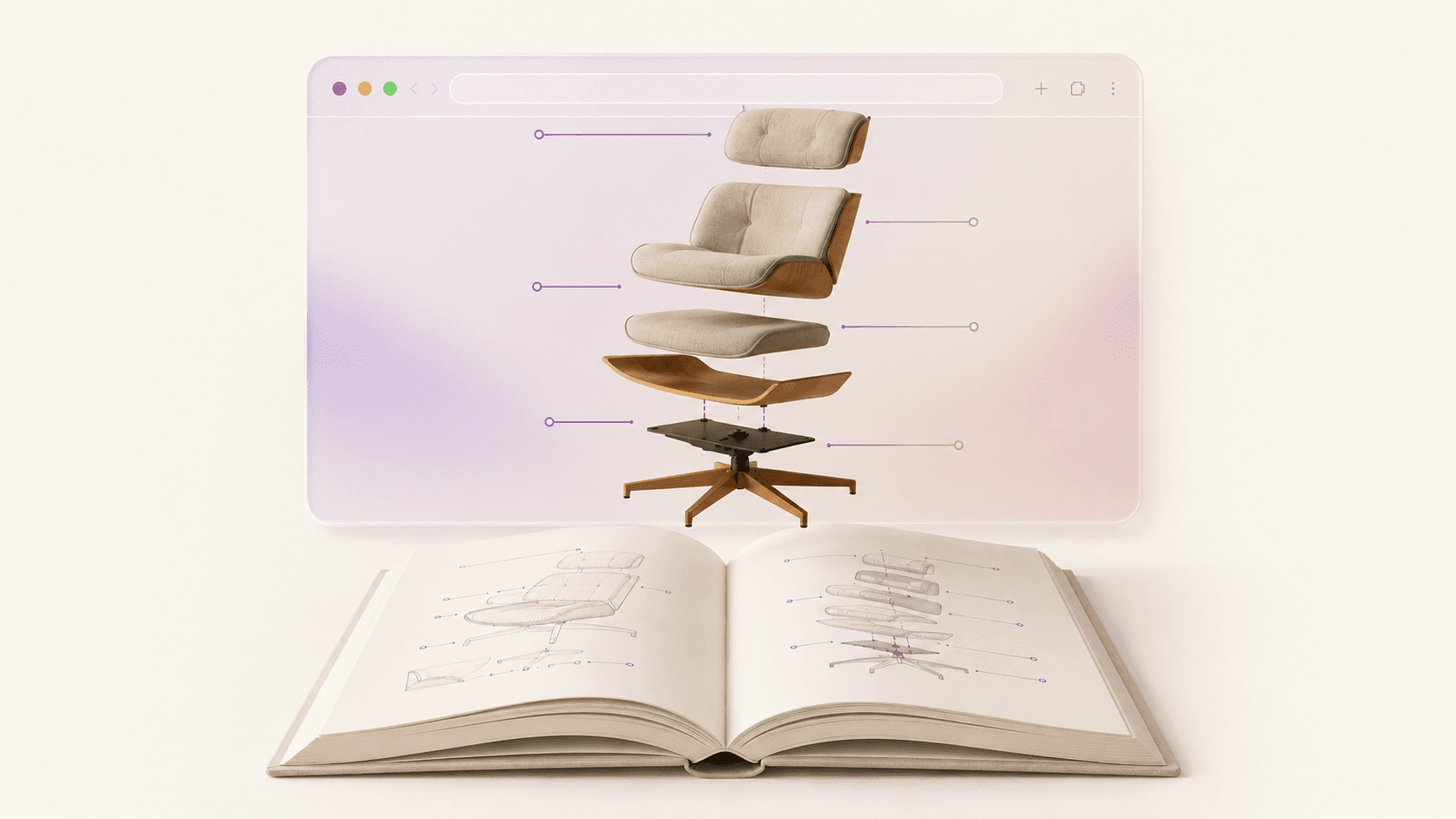
A complete, practical guide to using 3D product visualization to lift conversions, cut returns, and bring the in-store shopping experience online — written for Shopify and DTC operators, not 3D engineers.
For most of ecommerce history, the product page has been a brochure: a handful of flat photos, a description, a buy button. It works, but it asks the shopper to do something unnatural — commit money to an object they can't pick up, turn over, or judge at true scale.
3D product visualization closes that gap. It turns the product page from something you look at into something you use. This guide covers what it is, how the formats differ, what the data says it does to your business, which products benefit most, and — the part that used to be hardest — how to actually get 3D models onto your store without an agency or an engineering team.
If you want the persuasion case first, two companion pieces go deeper: why the biggest brands moved to 3D product configurators and the full conversion, returns, and engagement data. This page is the map of the whole territory.
What is 3D product visualization?
3D product visualization is the use of interactive three-dimensional digital models of products on a website, so shoppers can rotate, zoom, and explore an item from any angle — and often customize it or place it in their own space — instead of viewing a fixed set of 2D photos.
It's also called 3D ecommerce, immersive commerce, or interactive product visualization. The core idea is simple: replace the static, brand-chosen view of a product with a model the shopper controls. As Shopify frames it, online shoppers historically couldn't interact with products before buying, which dampens conversion and drives returns — and 3D is the technology that most closely brings that in-person interaction online.
The core formats, explained
"3D" is an umbrella term. There are four formats underneath it, and they're often confused. Here's the distinction that matters.
3D product viewer. The baseline: an interactive model embedded on the product page that shoppers can rotate 360 degrees and zoom into. It replaces (or sits alongside) the photo gallery. This is the foundation everything else builds on.
3D product configurator. A viewer plus customization. The shopper changes the product in real time — color, material, components, engraving — and sees the result instantly. This is what powers the build-your-own experiences on sites like Rimowa, Dell, and Cartier. Configurators are especially powerful because they let the shopper design exactly the version they want, which lifts both confidence and order value.
Augmented reality (AR). The same 3D model, placed into the shopper's real environment through their phone camera. AR answers the "will it fit / how big is it / does it match my room" question that no photo can. It's the highest-converting format for furniture, decor, and anything where space and scale matter.
Virtual try-on. A specialized form of AR for wearables — glasses, jewelry, watches, apparel — that places the product on the shopper's body or face. It addresses the fit-and-look uncertainty that drives the highest return rates in fashion and accessories.
The key point: all four are powered by the same underlying asset — a 3D model of your product. Build the model once, and you can deploy it as a viewer, a configurator, in AR, and in try-on. The model is the unlock; the formats are how you use it.
Why 3D matters now: the data and the trajectory
The business case rests on four numbers, the first three published by Shopify directly:
Conversions: merchants using 3D commerce see an average 94% increase in conversions versus static pages.
Returns: 3D visualization has been reported to cut returns by up to 40% — and returns are pure margin destruction.
Willingness to pay: 40% of shoppers say they'll pay more for a 3D experience, lifting average order value, not just conversion rate.
Engagement: when a 3D asset is on the page, the large majority of shoppers actively interact with it rather than scroll past — 3D pages consistently see higher dwell time and lower bounce.
The macro trend backs the micro data. The augmented reality ecommerce market was estimated at roughly $5.9 billion in 2024 and is projected to reach about $38.5 billion by 2030 (a ~36% CAGR, per Grand View Research). Translation: 3D and AR are moving from "innovative" to "expected," and the window where having it is a competitive edge — rather than table stakes — is open right now.
For the full breakdown of every metric, see the 3D configurator data post.
Which products benefit most from 3D
3D helps almost any product, but the payback is largest where 2D photos fail hardest — anywhere fit, scale, finish, or configuration drives the buying decision (and the returns).
Furniture and home decor. The clearest win. Scale and "will it fit my room" anxiety kill conversion and cause returns; AR placement solves both. Furniture retailer CB2 reported 3D/AR pages drove higher revenue per visit and order size.
Bags, luggage, and accessories. Capacity, proportions, and material finish are hard to read from photos. 3D lets shoppers judge real size and texture.
Footwear and apparel. Fit and look uncertainty drives the highest return rates in retail; 3D and virtual try-on directly attack the cause.
Jewelry and watches. Tiny details and finish carry the entire purchase. Zoomable 3D and try-on convert browsers who'd otherwise hesitate on a high-ticket item.
Electronics and hardware. Ports, dimensions, build quality — the spec sheet doesn't communicate it; a rotatable model does.
Customizable / configurable products. Anything with variants is a natural fit for a configurator, where exploring options lifts both confidence and AOV.
If you sell in any of these categories, 3D isn't a nice-to-have — it's aimed squarely at your biggest leak.
How 3D models are made: the old way vs. the new way
This is the section that explains why, if 3D works this well, most stores still don't have it. The answer was never capability. It was the cost and turnaround of producing the models.
The old way. Building a 3D model traditionally meant one of two paths: commission a specialist 3D agency — ship them a physical sample, wait weeks, pay several hundred to several thousand dollars per product — or hire an in-house 3D artist and buy the software pipeline to support them. Either way, the economics only penciled out for brands with huge catalogs or huge margins. That's why 3D stayed the preserve of Apple, IKEA, Cartier, and the like. (The full story of that gatekeeping is here.)
The new way. AI changed the input. Instead of requiring a CAD file or a physical sample plus a human modeler, modern tools generate a 3D model from the assets you already have — your existing 2D product photos. What took weeks and a purchase order now takes minutes and starts free. That single shift is what moved 3D from an enterprise capability to something any Shopify store can do this afternoon. This is the category Hangr was built for.
How to add 3D models to your Shopify store
At a high level, getting 3D live on a Shopify product page follows the same shape regardless of which tool you use:
Generate the model. With a traditional pipeline, this is the weeks-long agency step. With an AI tool like Hangr, you upload your existing product photos and the model is generated for you — no 3D files, no sample shipping.
Review and refine. Check the model for accuracy on the details that matter for your category — texture, proportions, finish.
Embed it on the product page. The model is placed on your Shopify product page, typically in or beside the existing image gallery, so shoppers can rotate, zoom, and (where supported) view in AR.
Publish and measure. Push it live and watch the metrics that matter: conversion rate, add-to-cart rate, time on page, and return rate over the following weeks.
The friction historically lived entirely in step 1. Remove the modeling bottleneck and adding 3D becomes a routine merchandising task rather than a project.
How to choose a 3D product visualization solution
Not all 3D tools are built for the same buyer. If you're a Shopify or DTC operator rather than an enterprise with a 3D team, evaluate options against these criteria:
Input required. Does it need CAD files or physical samples, or can it work from the 2D photos you already have? Photo-based AI input is the difference between a five-minute task and a five-week project.
Time to live. Minutes, or weeks? At the speed DTC moves, turnaround is a real cost.
Cost model. Per-product four-figure quotes don't scale to a 200-SKU catalog. Look for plans that scale with you — ideally with a free tier to test the lift before committing budget.
Shopify-native integration. It should drop onto your product page without custom engineering.
Format coverage. Can the same model power a viewer, a configurator, and AR — or are you paying separately for each?
No specialist staff required. If using it depends on hiring a 3D artist, the tool hasn't actually solved your problem.
The honest summary: the right tool for a growing Shopify brand is one that takes the photos you already have, gives you back an embeddable 3D model fast, and doesn't require a designer or developer to operate. That's precisely the gap Hangr fills.
How to measure the ROI of 3D
Treat your first 3D rollout as a measurable experiment. Track these before and after:
Conversion rate on pages with 3D vs. without.
Add-to-cart rate — often the first metric to move.
Return rate on 3D-enabled products over the following weeks.
Time on page / engagement as a leading indicator of intent.
Average order value, especially for configurable products.
Even a fraction of the published benchmarks — a partial conversion lift and a few points off your return rate — typically pays back the cost quickly, because the gains land on traffic and orders you were already paying to acquire.
Common mistakes to avoid
Treating 3D as decoration. Place the model where shoppers actually look — in the main gallery, not buried below the fold.
Skipping AR for spatial products. If you sell furniture or decor and don't enable AR, you're leaving the highest-converting format on the table.
Modeling only your hero SKU. The returns and conversion benefits compound across the catalog; the marginal cost of more models is what makes AI-based tools worth it.
Not measuring. Roll out without a baseline and you can't prove the lift — or defend the budget.
Frequently asked questions
What is 3D product visualization in ecommerce?
It's the use of interactive 3D models of products on a website, letting shoppers rotate, zoom, customize, and view items in AR instead of seeing only static 2D photos — bringing the in-person, hands-on shopping experience online.
What's the difference between a 3D viewer, a configurator, and AR?
A 3D viewer lets shoppers rotate and zoom a model. A configurator adds real-time customization (color, material, components). AR places the model in the shopper's real space through their phone. All three run on the same underlying 3D model.
How much does 3D product visualization increase conversions?
Shopify reports an average 94% increase in conversions for merchants using 3D commerce, alongside reduced returns and higher willingness to pay.
Do I need 3D files or a 3D designer to add 3D to my store?
No longer. AI tools like Hangr generate 3D models from your existing 2D product photos, so you don't need CAD files, a 3D artist, an agency, or engineering work.
How do I add 3D models to a Shopify store?
Generate a model (from photos, with an AI tool), review it, embed it on your Shopify product page, then publish and measure. The historically slow step — building the model — is now a matter of minutes.
Which products benefit most from 3D?
Anything where fit, scale, finish, or configuration drives the decision: furniture, bags and luggage, footwear and apparel, jewelry and watches, electronics, and any customizable product.
Is 3D ecommerce worth it for small brands?
Yes — now more than before. The cost and turnaround that once limited 3D to large brands have been removed by AI-based tools, while the AR/3D ecommerce market is growing roughly 36% a year, making early adoption a real competitive edge.
Bring 3D to your store
The data has pointed one direction for years; the only thing missing was a way for normal stores to act on it. Hangr turns your existing product photos into interactive 3D models you can embed on Shopify in minutes — no 3D files, no designer, no engineering.
Turn your product photos into 3D — start free on Hangr.
Sources
Shopify — 3D Ecommerce: A New Era of Retail (94% conversion increase; 40% willing to pay more; 40% returns reduction; engagement and time-on-page lift): https://www.shopify.com/blog/3d-ecommerce
Shopify — The ROI on AR (Rebecca Minkoff and brand-level outcomes): https://www.shopify.com/blog/ar-shopping
Grand View Research — Augmented Reality in E-Commerce Market Report (market size ~$5.9B in 2024, projected ~$38.5B by 2030, ~35.8% CAGR): https://www.grandviewresearch.com/industry-analysis/augmented-reality-e-commerce-market-report
CB2 average order value / revenue-per-visit lift via Retail Customer Experience, cited in Reydar's 3D ecommerce roundup: https://www.reydar.com/3d-model-products-for-ecommerce-sites-benefits/
Brands referenced are cited as examples of 3D and configurator adoption and outcomes across the ecommerce category. They are not Hangr customers, and no affiliation is implied.
No credit card. No engineering. 10 minutes from sign to live.
Start free, no credit card