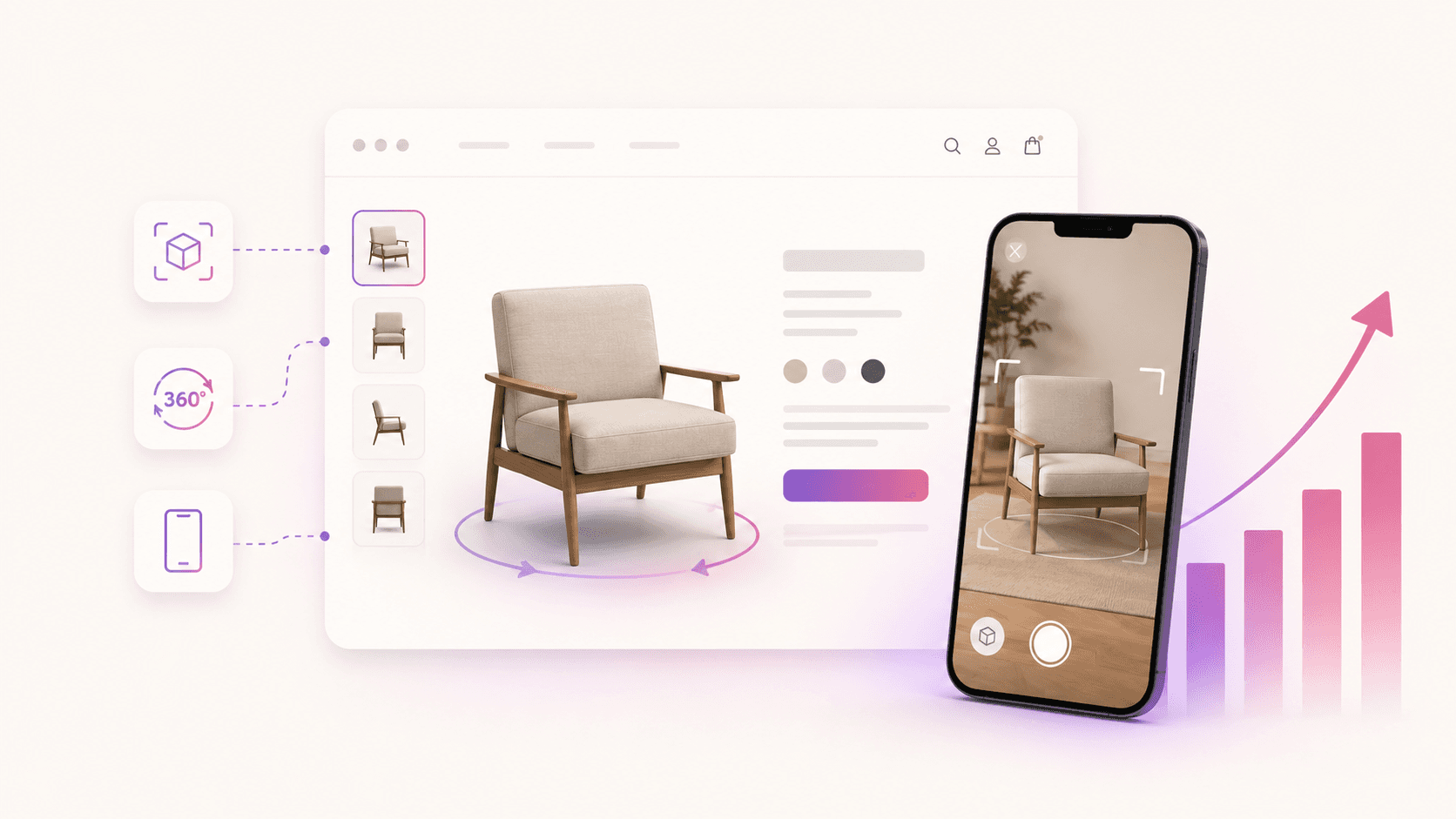
AR for Ecommerce: Boost Sales With Immersive Shopping
Augmented reality for ecommerce is no longer a novelty. It’s a conversion tool. AR overlays interactive 3D product content onto a shopper’s real environment through a smartphone or browser, letting them see a sofa in their living room or try on a pair of sneakers before clicking “buy.” 44% of shoppers say AR helps them decide to buy online, and retailers implementing AR have seen up to 25% fewer returns as customers better understand product fit and scale. Hangrsolutions sits at the center of this shift, turning standard product photos into AR-ready 3D models that plug directly into Shopify, WooCommerce, and beyond.
What are the main types of AR used in ecommerce?
Not all augmented reality works the same way. The four core types each serve a different shopping scenario, and knowing which fits your catalog is the first real decision you’ll make.
Marker-based AR uses a visual trigger, typically a QR code or printed image, to launch a 3D product overlay. A shopper scans a catalog page and a 3D model appears on screen. It’s reliable and easy to control, though it requires a physical or digital marker to initiate.
Markerless AR (surface tracking) is the most common type in furniture and home goods ecommerce. The app detects flat surfaces and places a true-to-scale 3D model anywhere the shopper points their camera. No marker needed.
Location-based AR ties digital content to GPS coordinates. Retailers use it for in-store navigation, local promotions, or geofenced product reveals. It’s niche for pure ecommerce but powerful for brands with physical and digital touchpoints.
Projection-based AR projects digital imagery onto physical surfaces. It’s mostly used in showroom or event settings rather than direct online retail, but it’s gaining ground in high-end product launches.
For most ecommerce brands, markerless AR and marker-based AR deliver the clearest ROI. They work in a browser, require no app download, and fit naturally into a product page.
How does AR actually improve ecommerce performance?
The business case for augmented reality shopping is built on three measurable outcomes: higher conversions, fewer returns, and deeper engagement. Shoppers who can visualize products in their space arrive at checkout with far less doubt.
Benefit | Impact |
|---|---|
Purchase confidence | 44% of shoppers say AR helps them decide to buy |
Return reduction | Up to 25% fewer returns after AR adoption |
Engagement depth | Shoppers spend more time on AR-enabled product pages |
Brand differentiation | AR signals premium experience and product quality |
AR is a core ecommerce tool, not a novelty feature, particularly for categories where size and texture matter like furniture and footwear. When a customer can place a rug in their bedroom at actual scale, the guesswork disappears. That’s where returns are born: in the gap between imagination and reality.
Pro Tip: Start with your highest-return product category. If shoes or furniture drive your refund rate, those are the exact SKUs where AR pays back fastest.
Which US ecommerce brands are already using AR well?
IKEA is the clearest proof of concept in the United States. Its AR furniture placement tool uses markerless surface tracking to let shoppers preview true-to-scale furniture in their own rooms before purchasing. The result is faster decision-making and fewer returns on big-ticket items, exactly the outcome every furniture retailer wants.
Beyond furniture, AR applications for e-commerce span several categories:
Footwear brands use virtual try-on tools so shoppers can see how a shoe looks on their foot through their phone camera.
Jewelry retailers deploy face and wrist AR so customers can preview rings, bracelets, and earrings without visiting a store.
Electronics brands use AR to show true product dimensions in a customer’s desk or entertainment setup, eliminating the “it looked smaller online” problem.
Apparel companies are moving toward body-tracking AR that overlays clothing on a shopper’s live image, reducing size-related returns.
The common thread across all of these is confidence. Shoppers who can see a product in context buy more and return less.
How to implement AR in your ecommerce store
Adding AR to your store is more accessible than most brand owners expect. The process breaks down into five steps.
Audit your highest-friction categories. Identify which products generate the most returns or pre-purchase questions. Those are your AR starting points.
Get your 3D models ready. AR requires accurate 3D product files. Hangrsolutions converts standard product photos into web-optimized 3D models using AI, with no 3D design skills required.
Choose an AR platform that fits your team. No-code AR platforms let ecommerce teams create and update AR experiences without a developer. For web AR ecommerce, platforms like ARLOOPA Studio, Zapworks, and Blippar are active options worth evaluating based on your workflow and roadmap.
Integrate with your existing platform. Hangrsolutions offers no-code integration with Shopify, WooCommerce, Magento, Wix, and BigCommerce. Web AR for Shopify stores, in particular, can go live without touching a line of code.
Launch a pilot campaign before full rollout. Piloting AR with a live campaign reduces risk and reveals which platform and product combination drives the best engagement before you scale.
Pro Tip: When comparing web AR vs native AR, web AR wins on reach. It runs in any mobile browser with no app download, which removes the single biggest barrier to shopper adoption.
Why 3D product experiences multiply AR’s impact
AR is only as good as the 3D model behind it. A low-quality model undermines shopper trust faster than no AR at all. High-fidelity, web-optimized 3D assets are the foundation every effective AR experience is built on.
Hangrsolutions’ AI-powered platform converts 2D product photos into AR-ready 3D models and embeds them directly into product pages via an interactive viewer. Real-time analytics track how shoppers engage with each model, which variants they explore, and where they drop off. That data feeds directly back into conversion rate optimization.
3D + AR feature | Business outcome |
|---|---|
Variant switching in viewer | Shoppers compare options without leaving the page |
Hotspot annotations | Reduces pre-purchase support tickets |
Real-time engagement analytics | Identifies which products need better content |
AR placement mode | Closes the physical/digital confidence gap |
The brands winning with AR in 2026 are not just adding a “view in your room” button. They’re building a full 3D product visualization layer that makes every product page feel closer to a showroom than a catalog.
What challenges should you expect with AR in ecommerce?
AR adoption comes with real friction points. The most common ones are worth knowing before you commit budget.
Asset quality is the first bottleneck. Creating accurate, web-optimized 3D models has historically required 3D artists and significant production time. AI-driven tools like Hangrsolutions reduce this barrier, but the quality of input photos still matters.
Device and browser compatibility varies. Web AR runs on most modern smartphones, but older devices or certain browsers can deliver a degraded experience. Testing across devices before launch is non-negotiable.
Shopper education is an underrated challenge. Many customers don’t know an AR feature exists on a product page. Clear UI cues, like a prominent “View in your room” button, drive adoption. Without them, the feature goes unused.
Platform selection risk is real. AR implementation success depends on choosing platforms aligned with team capacity and long-term roadmap, not just technical features. Buying a platform your team can’t maintain is a fast way to waste the investment.
Best practices for integrating AR with your existing ecommerce systems
Integration works best when AR is treated as a product page feature, not a standalone campaign. A few principles separate successful rollouts from stalled ones.
Match your AR trigger to your shopper’s natural behavior. On a product page, a “View in AR” button placed near the add-to-cart button gets far more clicks than one buried in a media gallery. Placement follows intent.
Use your existing product data as the source of truth. AR models should reflect the same variants, colors, and dimensions already in your product catalog. Discrepancies between the AR view and the delivered product are a return waiting to happen.
Prioritize web AR over native app AR for most ecommerce use cases. Browser-based AR removes the app download barrier and reaches a far wider share of your existing traffic without requiring a separate marketing push.
Monitor engagement analytics from day one. Knowing which products shoppers interact with in AR, and for how long, tells you where to expand the feature next.
How do UX and UI principles shape AR shopping experiences?
The best AR feature in the world fails if the interface around it creates friction. Customer experience optimization with AR) requires aligning UX and UI principles specifically for immersive product interaction.
Speed is the first UX principle. AR viewers that take more than two seconds to load lose shoppers before the experience begins. Web-optimized 3D models, compressed without sacrificing visual fidelity, are the technical answer.
Simplicity is the second. The AR interface should have one clear action at a time: place the product, rotate it, confirm the scale. Too many controls overwhelm shoppers who are already navigating an unfamiliar interaction mode.
Mobile-first design is non-negotiable for AR. The vast majority of AR shopping happens on smartphones, so every button size, gesture, and loading state should be designed for a 6-inch screen held in one hand. Desktop AR is a secondary consideration, not the primary one.
Finally, the AR experience should feel like a natural extension of your brand, not a bolted-on tech demo. Consistent typography, color, and tone inside the AR viewer reinforce trust and keep the shopper focused on the product.
Key Takeaways
AR for ecommerce drives measurable gains in conversion and return reduction when backed by high-quality 3D models, the right platform, and UX designed for mobile shoppers.
Point | Details |
|---|---|
AR boosts purchase confidence | 44% of shoppers say AR helps them decide to buy online. |
Returns drop with AR | Retailers report up to 25% fewer returns after adding AR product visualization. |
Web AR beats native for reach | Browser-based AR removes the app download barrier and reaches more shoppers immediately. |
3D model quality determines AR quality | Low-fidelity models undermine trust; AI-powered tools like Hangrsolutions close the production gap. |
Pilot before scaling | Testing AR on your highest-return SKUs first validates ROI before a full catalog rollout. |
Hangr converts your existing product photos into AR-ready 3D models with no 3D design skills required, and integrates directly with Shopify, WooCommerce, Magento, Wix, and BigCommerce. Real-time analytics show you exactly how shoppers engage with every model. If you’re ready to close the gap between your product page and your customer’s living room, start with Hangr.
Recommended
No credit card. No engineering. 10 minutes from sign to live.
Start free, no credit card